· Pauline · How-to · 4 min read
Brand profiles: Define styles
Learn how to use brand profiles in Dynamics 365 Customer Insights to define styles, manage senders, and ensure consistent branding across emails.

Please be aware: The content is accurate at the time of creation. It may be that Microsoft has made changes in the meantime.
The brand profiles in Customer Insights have a new feature that I’ve been waiting for since brand profiles were introduced. But right from the start: What are brand profiles? It makes creating consistently branded content super easy. Whether it’s different brands or separate business units, brand profiles allow you to set up multiple profiles with ease. In addition, you can set default senders for emails and configure default social media links.
Create brand profiles in Customer Insights
You can find the brand profiles in the marketing app settings. Any number of new data records can be created there. If you want to use brand profiles, it is best to think about which brands or business areas you need profiles for at the start. After all, these will need to be managed in the future. Too many profiles will of course make it complex and confusing over time.
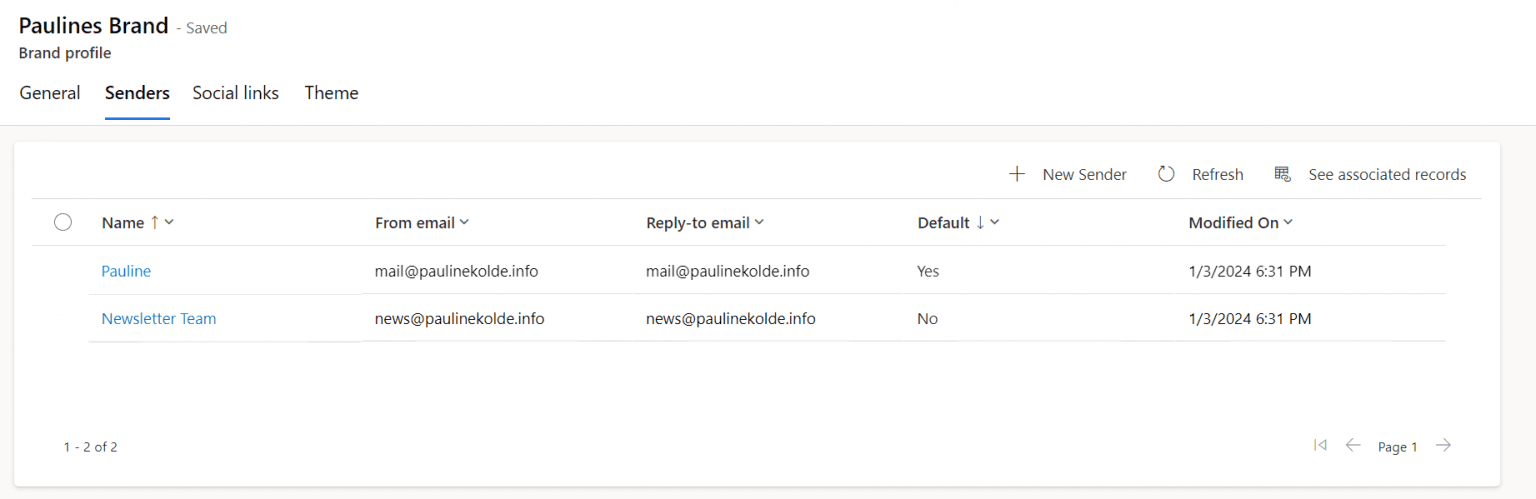
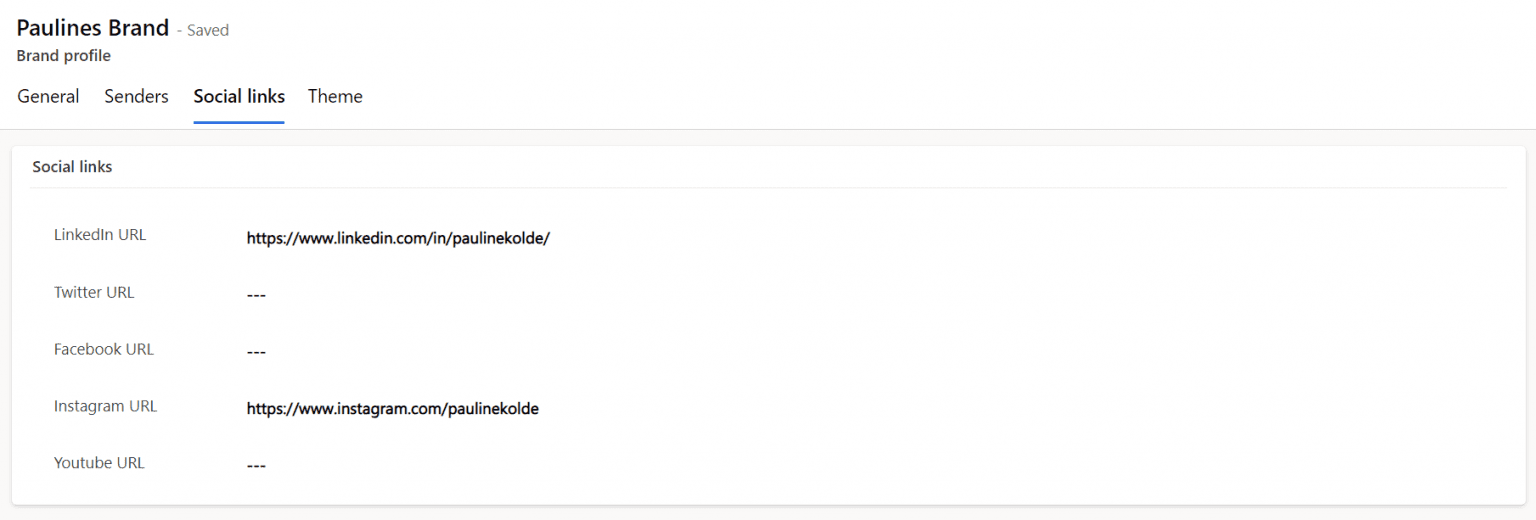
What was already possible is the function to store senders and social media links in the brand profile. Senders can be selected later in the email. Social media icons also have a dynamic placeholder in the emails, which is filled with the correct links via the selected brand profile. We will look into this later.
Add sender:
Add social media links:
Brand profiles and styles
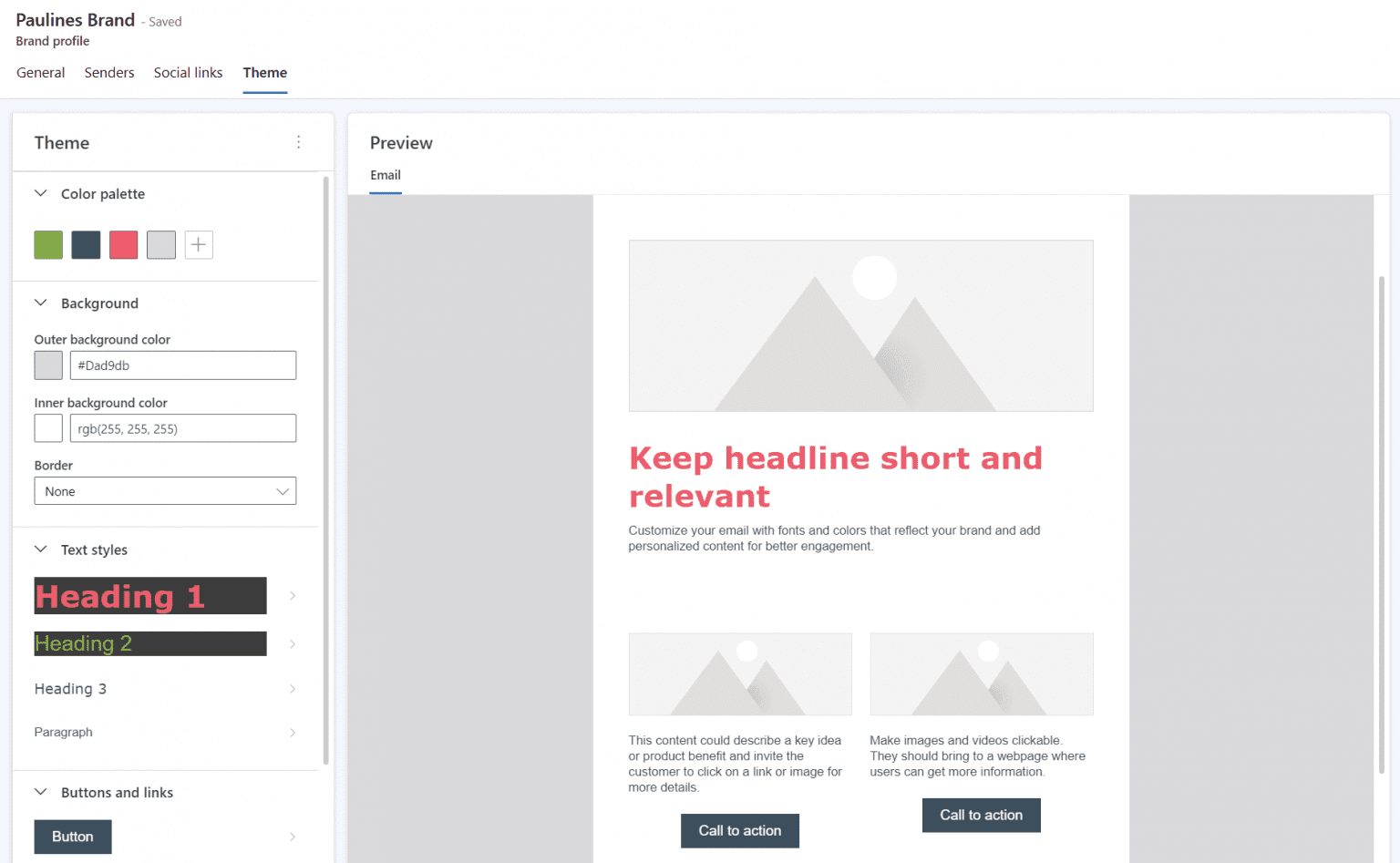
Now comes the news: define styles for emails in brand profiles. After all, every brand can have its own corporate design. And anyone who has ever created emails and had to choose the right colors knows how exhausting this can be. Who knows all the HEX codes by heart? Of course, you can get around this with email templates or content blocks, but I find the new option with styles for brand profiles very elegant.
The following attributes can be defined in the styles:
- Color plaette
- Background
- Text styles (Headlines and paragraphs)
- Buttons and links
- Custom fonts
If you already have the latest version (I have 1.1.35296.83) and are in the US tenant, you can also use Copilot. The Copilot determines the correct colors by entering a website. To be honest, I haven’t had any particularly good experiences with it. My own homepage only comes up with white and empty colors, but let’s give it some time to learn. For use in German or European environments, we’ll also have to be patient until the function is available.
Use brand profiles in customer insights emails
How are the brand profiles processed now? A brand profile can always be linked in the email. The sender, social media icons and, of course, the styles are then drawn from this.
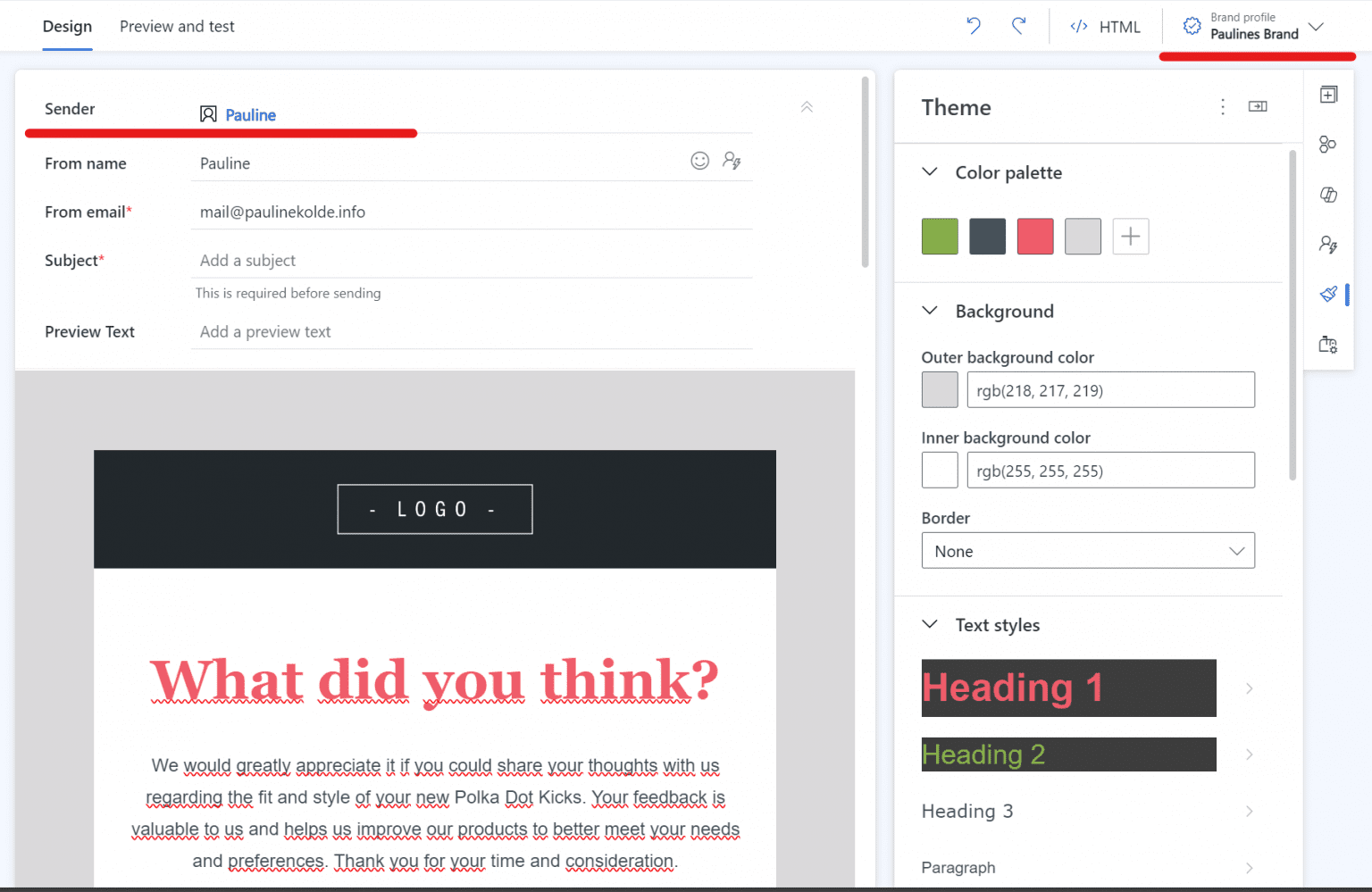
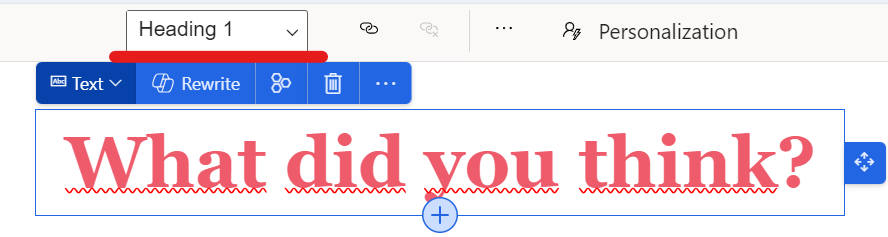
To ensure that the styles are also transferred from the brand profile to the email content, it is important that the HTML of the email is correct. For the headings, there must therefore be an h1, h2, h3-tag for the headings and a p-tag for the text. This way, the brand profile knows which text requires which style. The easiest way is to create the texts in the Designer and assign the correct type. Then you don’t have to fiddle around in the HTML.
Summary
In conclusion, brand profiles are a wonderful additional benefit in Customer Insights. The ability to define individual styles for emails not only simplifies the design process, but also strengthens the consistency and recognizability of the brand. Despite minor expansion steps, the functionality is already an enrichment. I really like the brand profiles. Even more so because they are also customizable. New fields can be added, which is not a given in real-time marketing. Now we are eagerly awaiting the co-pilot in German and European environments.
Do you have questions, ideas or remarks? Feel free to get in touch.


